
This guide cuts through sticker shock and shows the true total for a complete play system today.
The market shifts fast, so we give present‑day ranges for entry, mid and high tiers and list which components drive the price. You will see common monitor classes, peripheral costs such as keyboard and headset, and realistic desk or chair spends.
Expect clear examples that map price to performance: smooth 1080p, high refresh 1440p, cinematic 4K or VR‑ready rigs. We explain where to spend for long‑term value and where to save without hurting gameplay.
By the end you will know the typical totals for budget, mid‑range and high‑end builds and can judge price versus experience with confidence.
What drives the price of a gaming setup today
Deciding between smooth, high‑FPS matches or richly detailed worlds will guide each purchase. Your target experience—whether competitive or cinematic—largely dictates which components get the biggest share of your budget.
Resolution and refresh rate are major cost drivers. Higher resolutions and faster panels need stronger GPUs and more capable CPUs, pushing mid‑range builds from around $800–$1,500 to high‑end totals of $1,500–$3,000+.
Monitors matter. A 1080p display costs roughly $100–$300, while 1440p and 4K panels sit in the $300–$1,000+ range. Match your screen to expected frame rates to avoid wasted spend or bottlenecks.
- Visual settings such as textures, shadows and ray tracing have clear performance costs; tweak them to meet goals without overspending on the top GPU tier.
- CPU choice affects simulation and multiplayer play, but the GPU usually drives the largest slice of the cost pie beyond 1080p.
- Plan component choice with platform features, cooling and power in mind to avoid expensive changes later and keep future upgrades in mind.
Gaming PC cost tiers and real‑world performance
Tiered price bands link directly to real results on screen. Pick the resolution and frame‑rate target first, then allocate budget to the parts that matter most for that goal.
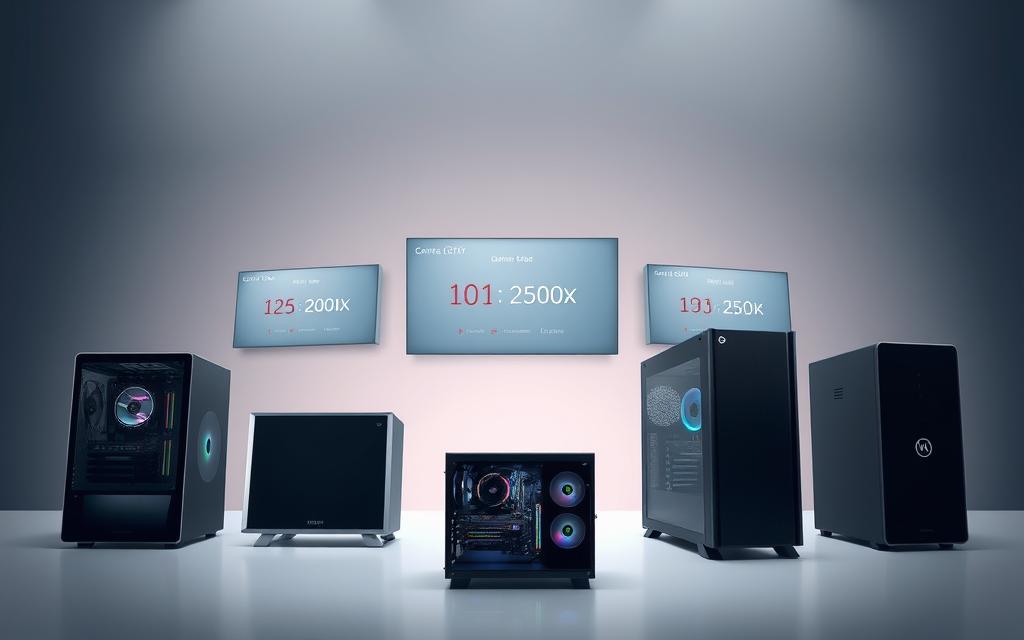
Entry‑level builds on a budget: roughly $400-$800 for 1080p
Good for 1080p at medium to high settings. Expect an Intel Core i3/i5 or AMD Ryzen 5, 8–16GB RAM and a modest GPU with a basic SSD for fast loads.
Mid‑range balance: about $800-$1,500 for 1080p high/1440p
This tier offers the best value. Typical parts include Nvidia RTX 3060/4060 or Radeon RX 6700‑class cards, 16GB RAM and larger NVMe storage for smooth 1440p play.
High‑end power: $1,500-$3,000+ for 4K and VR
Designed for 4K or VR. Expect Intel Core i7/i9 or AMD Ryzen 7/9, GPUs such as RTX 4070/4080 or RX 7900 XTX, 32GB RAM and fast NVMe drives.
Extreme rigs: $3,000 and beyond for cutting‑edge capabilities
Flagship silicon, premium cooling and high‑watt PSUs add cost but unlock top ray‑tracing and content‑creation performance.
“Allocate more of the budget to the GPU; its uplift most directly raises frame rates and visual fidelity.”
| Tier | Typical price | Key components | Target result |
|---|---|---|---|
| Entry | $400–$800 | Intel Core i3/i5 or Ryzen 5, 8–16GB, SSD | 1080p, medium–high |
| Mid‑range | $800–$1,500 | RTX 3060/4060 or RX 6700, 16GB, NVMe | 1080p high / 1440p |
| High‑end | $1,500–$3,000+ | i7/i9 or Ryzen 7/9, RTX 4070/4080, 32GB, NVMe | 4K / VR ready |
| Extreme | $3,000+ | Flagship GPU, premium cooling, large storage | Maxed 4K, ray tracing, creation workloads |
Tip: If you plan on putting together your own build, check case, PSU and cooling choices now so future GPU upgrades fit without a full rebuild.
Monitors and the visual experience: price versus performance
Pick the display that matches your performance goals and wallet. Resolution and refresh shape the visual payoff and dictate which GPU tier you should buy.
1080p displays: fast motion for tight budgets
Entry 1080p panels run roughly $100–$300 and often include 144Hz refresh. Models such as the Acer Nitro VG240Y or ASUS TUF VG279Q offer low input lag and clear motion for competitive play.
1440p and 4K: sharper detail, bigger demands
Stepping to 1440p (about $300–$600) brings higher pixel density without the GPU strain of 4K. True 4K panels typically sit between $400–$1,000+ and reward single‑player visuals and creative work.
Ultra‑wide options: immersion and workspace
Ultra‑wide displays cost $500–$1,500 and widen field of view for racers and sims. Budget choices like the AOC CU34G2X scale up to premium units such as the Samsung Odyssey G9.
| Type | Typical price | Primary benefit |
|---|---|---|
| 1080p (144Hz) | $100–$300 | High frame responsiveness for competitive play |
| 1440p / 4K | $300–$1,000+ | Sharper detail, better single‑player experience |
| Ultra‑wide | $500–$1,500 | Expanded FOV and productivity space |
Pro tip: Match refresh rate to your system. An Nvidia RTX-class card will sustain higher frames at 1440p than entry hardware. Also check panel type, connectivity and clearance for air flow near large displays. Ensure storage is sufficient if you plan to install high‑resolution texture packs for the best gaming experience.
Peripherals that shape gameplay feel and control
Peripherals shape how controls feel and often decide whether long sessions stay precise and comfortable.
Keyboard and mouse: mechanical precision and DPI control
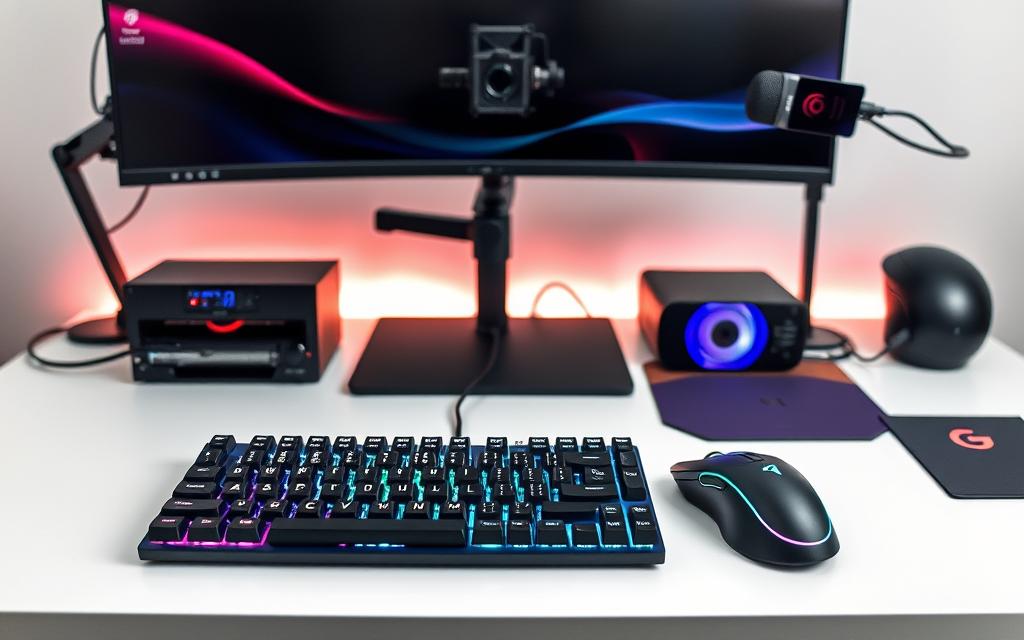
Mechanical keys and a high‑quality sensor mouse make aiming and inputs repeatable. Typical combos sit between $100–$300 and reward practice with consistent actuation and adjustable DPI.
Headset and comms: spatial audio and mic clarity
Headsets priced $50–$200 deliver surround processing and noise‑reducing mics. Clear voice comms and spatial cues often improve teamwork and awareness more than small frame boosts.
Optional add‑ons: streaming gear, controllers, and extra storage
Accessories let you expand without rebuilding the core. Webcams and mics cost $50–$200, lighting $20–$100, controllers $30–$80 and VR units $300–$1,000+. Extra storage (1–2TB) runs $50–$200 and keeps favourite titles ready to play.
| Component | Typical price | Primary benefit |
|---|---|---|
| Keyboard + mouse | $100–$300 | Precision, comfort |
| Headset | $50–$200 | Audio clarity, comms |
| Streaming / controllers | $30–$300 | Content, genre fit |
| Extra storage | $50–$200 | Fast access to games |
Ergonomics and comfort: desk and chair investments
Comfortable seating and a stable desk change how long you can play without strain. Small investments in furniture often deliver larger returns in comfort than tiny component upgrades.
Desks range from about $100 for basic models to $500–$900 for feature‑rich or motorised sit‑stand units. Choose depth for large monitors or ultra‑wides and check cable management options to keep airflow and noise down.
Chairs typically cost $150–$400+, with premium options such as the Boulies Master Series ($399–$499) offering 4D arms, lumbar support and higher recline. Proper adjustability reduces fatigue and sustains posture during long sessions.
- Surface and stability: ample space for monitors, peripherals and a PC.
- Cable management: trims clutter, improves thermals and serviceability.
- Material choice: mesh vs PU/fabric affects breathability and cleaning.
- Fit: armrest ranges and seat dimensions matter for lasting comfort.
| Item | Typical price | Primary benefit |
|---|---|---|
| Desk (basic → sit‑stand) | $100–$900 | Space, stability, posture options |
| Chair (ergonomic) | $150–$499+ | Support, reduced fatigue |
Choice and balance between seating and display determine the overall experience; spend where it keeps you focused and comfortable over long play time.
Internet connection and networking essentials
A stable network is the unsung backbone that keeps online matches smooth and streams uninterrupted.
Plan selection matters. Aim for at least 100 Mbps and budget roughly $50–$100 per month for household use. That speed helps cut latency spikes and keeps performance steady during peak time.

High‑speed plans for low latency
Choose a plan with sufficient upload for voice and streaming. Many providers list symmetric or high upstream tiers; these reduce packet loss for streamers and gamers alike.
Routers and advanced features
Expect to spend about $100–$300 on a router with QoS, dual‑band or tri‑band and modern Wi‑Fi 6/6E support. These features help the system prioritise real‑time traffic and reduce jitter when others share the link.
“Wired Ethernet still delivers the most consistent latency and should be used where possible.”
| Item | Typical price | Primary benefit |
|---|---|---|
| High‑speed plan (100 Mbps+) | $50–$100/month | Stable bandwidth, lower latency |
| Gaming router (Wi‑Fi 6/6E) | $100–$300 | QoS, reduced interference, secure traffic |
| Wired Ethernet | Minimal / cable cost | Best latency and stability |
Practical tips: keep firmware updated, place the router away from dense walls, and use separate SSIDs or QoS profiles so your setup traffic gets priority without manual tweaks.
Component spotlight: CPUs, GPUs, and where performance scales
Choosing the right CPU and graphics silicon largely defines whether your spend translates into smooth frames or wasted headroom. Pick the central processor first, then align the rest of the components so parts work together.
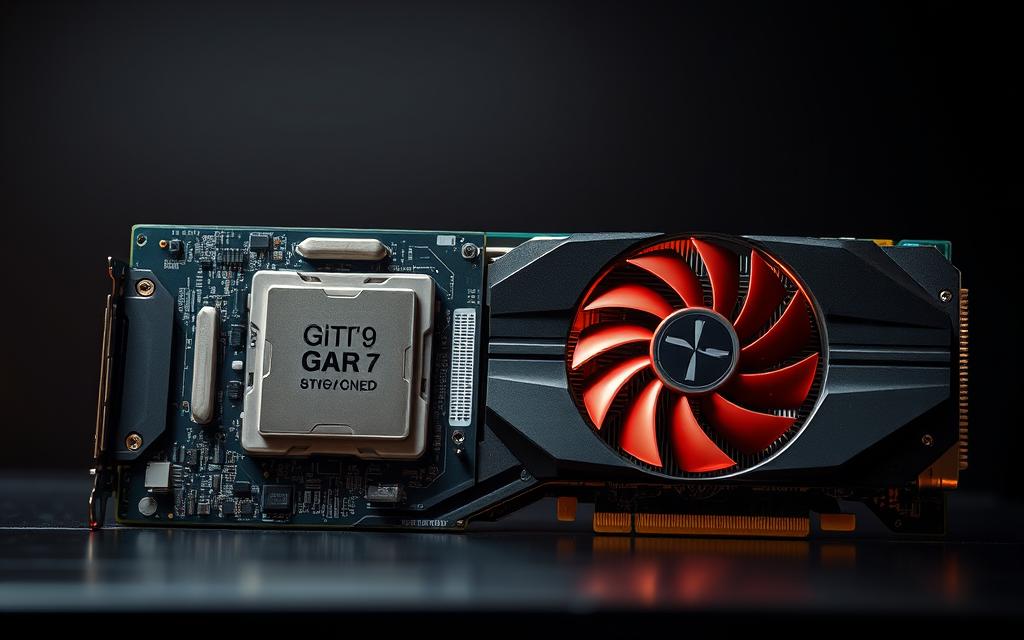
Intel Core and AMD Ryzen choices for multitasking and games
The Intel Core i5‑14600KF offers strong single‑thread speed for responsive play and solid background task handling.
The AMD Ryzen 7 7800X3D shines in many of the best gaming scenarios thanks to its large 3D cache and sustained frame rates.
Nvidia RTX and Radeon GPUs: the biggest line‑item in most builds
GPUs such as the RTX 4070/4080 or Radeon RX 7900 XTX commonly dominate the budget. The chosen graphics card tier mostly determines resolution and settings you can sustain.
“Step up the GPU tier to raise frame rates; CPU upgrades follow to reduce bottlenecks.”
- Plan for 16–32GB RAM and 1–2TB NVMe for snappy loads.
- Check motherboard chipsets, BIOS and memory compatibility before buying.
- Match PSU wattage to transient power needs and target thermal design.
Power, cooling, and compatibility: keeping systems stable
A reliable foundation of electricity and cooling determines whether parts reach rated performance.
Power delivery starts with the right power supply. Choose a quality unit in the 600W–1000W range with 80+ Bronze or Gold certification. These models, typically $79–$200+, give efficiency and safer voltage under load.
Cooling choices affect noise, thermals and peak clock behaviour. Good air coolers are cost‑efficient and simple to maintain. AIO liquid units cost more but often lower temperatures and fan noise at sustained load.
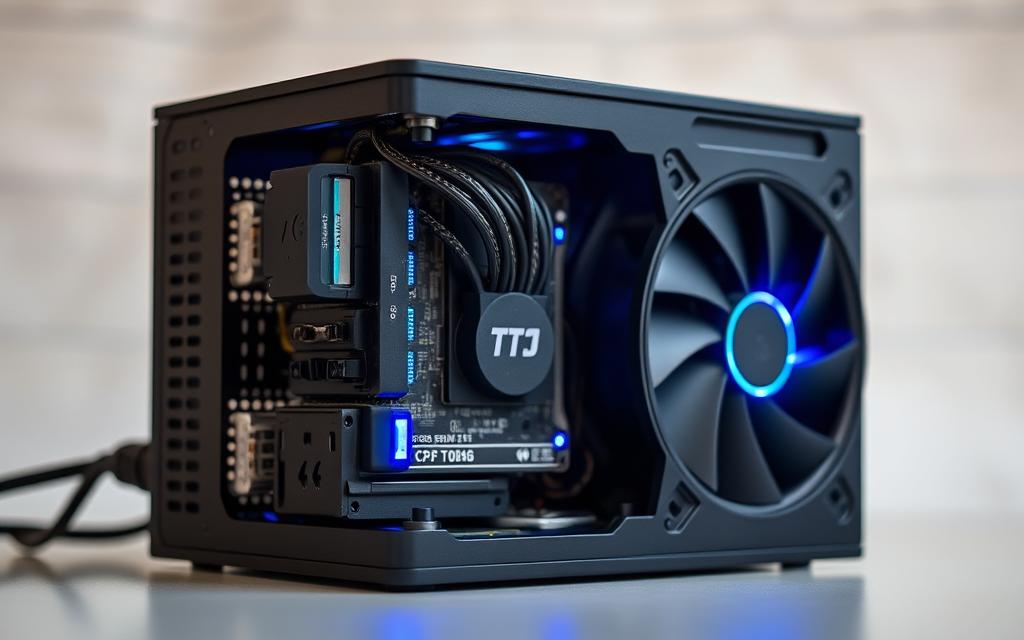
- Check compatibility: EPS and PCIe connector count, cooler height, and GPU length before purchase.
- Case airflow: plan intake/exhaust, radiator mounts, and fan headers for control.
- Budget smart: spend slightly more on PSU and cooling to protect expensive parts and keep steady performance.
Good cable management and regular temperature monitoring prevent dust build‑up and unexpected throttling.
For extra guidance on maintaining hardware health and prolonging life, see this short guide to keep your gaming PC in peak.
how much is a full pc gaming setup: total basket estimates
To make budgeting easier, here are three representative cost bands that cover hardware, peripherals and networking. Each band shows a realistic total and the key items that drive that amount.
Budget setup: about $1,000–$1,500
What you get: an entry‑level gaming build, 1080p 144Hz monitor, basic keyboard mouse and headset.
Notes: prioritise the graphics card and an NVMe SSD for snappy loads. Use a Bronze power supply and a modest cooler to contain the price.
Mid‑range setup: roughly $2,000–$3,000
What you get: stronger GPU/CPU (Intel Core or AMD Ryzen options), 1440p high‑refresh or basic 4K monitor, better peripherals and 2TB storage across NVMe drives.
Include a higher‑efficiency power supply and improved cooling to protect upgrades. This band balances frame targets with long‑term value.
High‑end setup: $4,000–$6,000+
What you get: flagship graphics card, 4K or ultra‑wide panel, premium chair and desk, top‑tier PSU and custom cooling.
Expect the largest single cost to be the graphics card and related cooling. Factor monthly internet fees and a quality router into the total for smooth online play.
| Band | Typical total | Key inclusions |
|---|---|---|
| Budget | $1,000–$1,500 | Entry‑level rig, 1080p monitor, keyboard mouse, 1TB NVMe |
| Mid‑range | $2,000–$3,000 | Intel Core/AMD Ryzen CPU, Nvidia RTX‑class GPU, 1440p/4K, 2TB storage |
| High‑end | $4,000–$6,000+ | Flagship GPU, premium monitor, robust PSU, advanced cooling, premium ergonomics |
“Balance parts so the graphics card and monitor match — avoid wasted spend and preserve clarity.”
Build versus prebuilt: price, time, and upgrade paths
Choosing between building yourself or buying ready‑made alters price, warranty and the time to first play.
Building offers control. You pick each part, tune acoustics and define the look. Savvy buyers can lower total cost by sourcing deals, but expect to spend extra time researching and assembling.
Prebuilts from CyberPower, Best Buy, iBUYPOWER, NZXT or Alienware can be competitive. Bulk purchasing and seasonal promos reduce price, and units ship tested with warranties and support.
Practical points:
- Plan compatibility, BIOS and firmware so first boot succeeds.
- Allocate time for cable management and stress testing thermal behaviour.
- Budget for tools, thermal paste and any missing cables when you put together parts yourself.
- Check case size, PSU wattage and motherboard features to protect upgrade paths for Intel Core or other platforms.
“Both routes work—pick based on cost versus convenience and how much time you want to invest.”
Market factors to keep in mind right now
Current component flows and launch cycles can rewrite price expectations overnight, so plan with flexibility.
Prices change with GPU and CPU releases, stock levels and seasonal promos. That means your budget should absorb short swings so you can act when value appears.
Used or refurbished parts from reputable sellers can stretch funds. Focus on well‑reviewed cases, PSUs with warranty and previous‑gen GPUs that still meet your capabilities.
“Timing purchases around seasonal sales and new‑gen launches often yields the best returns on spend.”
- Match storage to library growth: 1TB–2TB NVMe hits the sweet spot for most players and leaves room to expand.
- Prioritise the GPU and monitor first if you can bridge with an existing system; stage buys by importance.
- Factor power efficiency and noise into long‑term running costs — better efficiency lowers bills and heat.
- Check chipset roadmaps so motherboard choices don’t limit future CPU or memory upgrades.
| Factor | What to watch | Practical action |
|---|---|---|
| Launch cycles | Price shifts after new silicon | Delay non‑urgent buys for short windows of stability |
| Refurb/used market | Discounted components with warranty | Buy reputable sellers and inspect return policies |
| Seasonal deals | Black Friday, back‑to‑school, promo events | Set alerts and commit funds to capture offers |
| Resale value | Popular GPUs and quality cases retain worth | Prefer durable parts to lower net cost of ownership |
Keep in mind: calm, staged purchasing and compatibility checks usually outscore chasing first‑day releases. That approach protects your budget and delivers better returns for any gaming build.
Conclusion
,Finish by setting clear targets so spending yields noticeable gains where they matter most.
Plan totals, not just the tower. Typical ranges sit around $1,000–$1,500 for budget, $2,000–$3,000 for mid‑range and $4,000–$6,000+ for high‑end. Monitors run $100–$1,500 while peripherals like keyboard and headset add roughly $150–$500. Internet plans and routers add $50–$300/year plus monthly fees.
Prioritise the GPU and monitor pairing, then right‑size CPU, storage and cooling for steady performance. Take a staged approach over time to catch deals and avoid overpaying during tight windows. Decide between building yourself or buying prebuilt based on time and your comfort with assembly.
Keep the system balanced and upgrade‑friendly: a proper PSU, good airflow and a roomy case make future parts swaps simple. Use the ranges here to finalise your shortlist and move confidently from research to purchase for the best gaming outcomes and enjoyable gameplay.
FAQ
How much does a full gaming PC setup typically cost across budgets?
Costs vary by tier. Entry-level builds aimed at 1080p start around 0–0 for the tower alone, but a complete setup with a 1080p monitor and basic peripherals usually sits near
FAQ
How much does a full gaming PC setup typically cost across budgets?
Costs vary by tier. Entry-level builds aimed at 1080p start around $400–$800 for the tower alone, but a complete setup with a 1080p monitor and basic peripherals usually sits near $1,000–$1,500. Mid‑range systems for high 1080p or 1440p run about $800–$1,500 for the machine and roughly $2,000–$3,000 for a full rig with better monitors and peripherals. High‑end builds designed for 4K or VR often total $1,500–$3,000 for parts and $4,000–$6,000+ when paired with premium displays, chairs and accessories.
What are the main price drivers when putting together a gaming system?
The GPU and CPU account for the largest share of the budget, followed by monitor quality, storage type (NVMe versus SATA), RAM capacity, and the power supply. Peripherals such as mechanical keyboards, high‑refresh monitors and headsets also add significant cost. Brand choices — Nvidia GeForce RTX, AMD Radeon, Intel Core or AMD Ryzen — and features like ray tracing, high FPS targets and large storage increase price.
How should I choose between Intel Core and AMD Ryzen CPUs for gaming?
Choose based on workload and budget. Intel Core often shows strong single‑thread performance beneficial for some competitive titles, while AMD Ryzen provides excellent multi‑thread value for streaming and multitasking. Match the CPU to your GPU and desired resolution to avoid bottlenecks.
When does a GPU become the most important component?
For higher resolutions and visual settings — 1440p and 4K — the GPU dominates performance. At 1080p in esports titles, the CPU and high refresh rate monitor matter more for frame rates. Nvidia RTX and AMD Radeon cards are typically the biggest line items in high‑performance builds.
What should I expect to pay for a monitor that complements a gaming build?
1080p displays range from about $100–$300, with many 144Hz options in that window. 1440p and 4K panels cost roughly $300–$1,000+, depending on refresh rate and colour accuracy. Ultra‑wide monitors for immersion can run $500–$1,500 depending on size and resolution.
How much should I budget for keyboard, mouse and headset?
A quality mechanical keyboard and gaming mouse together typically cost $100–$300. Headsets with clear audio and a good microphone usually fall between $50–$200. Competitive players often prioritise sensor quality, switch type and comfort when choosing peripherals.
Are ergonomic investments worth it and what do they cost?
Yes. A stable desk with cable management runs about $100–$500+, while chairs with proper lumbar support and reclining features cost roughly $150–$400+. Ergonomics improves long sessions, reduces fatigue and protects posture.
What networking gear and plans do gamers need for low latency?
High‑speed broadband plans suitable for gaming often cost $50–$100 per month. A dedicated gaming router with QoS, dual‑band or tri‑band features typically costs $100–$300. Wired Ethernet still provides the most consistent latency for competitive play.
How much should I spend on power supply and cooling?
Choose a reliable PSU in the 600W–1000W range from reputable brands; expect $79–$200+. Cooling choices depend on budget: quality air coolers start around $30–$80, while AIO liquid coolers and premium fans cost $50–$200+. Good cooling preserves performance and component lifespan.
What are total basket estimates for complete systems with peripherals?
Rough totals: budget setups with a 1080p monitor and basic peripherals land near $1,000–$1,500. Mid‑range rigs for higher resolutions and better peripherals typically cost $2,000–$3,000. High‑end configurations with 4K/ultra‑wide displays and top parts commonly reach $4,000–$6,000 or more.
Should I build my own system or buy prebuilt?
Building can save money and give control over compatibility and future upgrades, but it requires time and research. Prebuilt systems suit those who prefer convenience, warranty coverage and immediate use; expect to pay a premium for assembly and support. Evaluate upgrade paths and component warranties for either route.
What market factors should I watch when planning a purchase?
Watch GPU and CPU launch cycles, regional stock and pricing, seasonal sales and component shortages. New Nvidia RTX or AMD Radeon launches often shift prices; buying just after a release can be costly. Also consider supply chain effects and retailer promotions to find the best value.
How do resolution and frame‑rate targets affect component choices?
Higher resolution prioritises GPU horsepower, while competitive high frame rates demand a strong CPU and fast RAM alongside a capable GPU. Select components based on whether you value visual fidelity (4K, ray tracing) or high FPS for esports titles.
What storage options balance speed and cost?
Use an NVMe SSD (250GB–1TB) for the operating system and frequently played titles to reduce load times; expect higher cost per GB than SATA SSDs. Add larger SATA SSDs or HDDs for archives and less‑played games. Combining NVMe boot drives with bulk storage offers the best balance.
Which accessories are worth adding for streamers or content creators?
Streamers benefit from capture cards, USB or XLR microphones, a green screen, and extra storage. Expect to pay $100+ for quality audio gear and $150–$300 for capture hardware. A reliable microphone and sufficient upload bandwidth significantly improve stream quality.
How do compatibility and future upgrades influence initial component selection?
Choose a motherboard with spare M.2 slots, USB headers and supported CPU upgrades. Pick a PSU with headroom for future GPU upgrades and a case with clearance for larger coolers. Planning for expandability reduces total lifetime cost and simplifies upgrades.
,000–
FAQ
How much does a full gaming PC setup typically cost across budgets?
Costs vary by tier. Entry-level builds aimed at 1080p start around $400–$800 for the tower alone, but a complete setup with a 1080p monitor and basic peripherals usually sits near $1,000–$1,500. Mid‑range systems for high 1080p or 1440p run about $800–$1,500 for the machine and roughly $2,000–$3,000 for a full rig with better monitors and peripherals. High‑end builds designed for 4K or VR often total $1,500–$3,000 for parts and $4,000–$6,000+ when paired with premium displays, chairs and accessories.
What are the main price drivers when putting together a gaming system?
The GPU and CPU account for the largest share of the budget, followed by monitor quality, storage type (NVMe versus SATA), RAM capacity, and the power supply. Peripherals such as mechanical keyboards, high‑refresh monitors and headsets also add significant cost. Brand choices — Nvidia GeForce RTX, AMD Radeon, Intel Core or AMD Ryzen — and features like ray tracing, high FPS targets and large storage increase price.
How should I choose between Intel Core and AMD Ryzen CPUs for gaming?
Choose based on workload and budget. Intel Core often shows strong single‑thread performance beneficial for some competitive titles, while AMD Ryzen provides excellent multi‑thread value for streaming and multitasking. Match the CPU to your GPU and desired resolution to avoid bottlenecks.
When does a GPU become the most important component?
For higher resolutions and visual settings — 1440p and 4K — the GPU dominates performance. At 1080p in esports titles, the CPU and high refresh rate monitor matter more for frame rates. Nvidia RTX and AMD Radeon cards are typically the biggest line items in high‑performance builds.
What should I expect to pay for a monitor that complements a gaming build?
1080p displays range from about $100–$300, with many 144Hz options in that window. 1440p and 4K panels cost roughly $300–$1,000+, depending on refresh rate and colour accuracy. Ultra‑wide monitors for immersion can run $500–$1,500 depending on size and resolution.
How much should I budget for keyboard, mouse and headset?
A quality mechanical keyboard and gaming mouse together typically cost $100–$300. Headsets with clear audio and a good microphone usually fall between $50–$200. Competitive players often prioritise sensor quality, switch type and comfort when choosing peripherals.
Are ergonomic investments worth it and what do they cost?
Yes. A stable desk with cable management runs about $100–$500+, while chairs with proper lumbar support and reclining features cost roughly $150–$400+. Ergonomics improves long sessions, reduces fatigue and protects posture.
What networking gear and plans do gamers need for low latency?
High‑speed broadband plans suitable for gaming often cost $50–$100 per month. A dedicated gaming router with QoS, dual‑band or tri‑band features typically costs $100–$300. Wired Ethernet still provides the most consistent latency for competitive play.
How much should I spend on power supply and cooling?
Choose a reliable PSU in the 600W–1000W range from reputable brands; expect $79–$200+. Cooling choices depend on budget: quality air coolers start around $30–$80, while AIO liquid coolers and premium fans cost $50–$200+. Good cooling preserves performance and component lifespan.
What are total basket estimates for complete systems with peripherals?
Rough totals: budget setups with a 1080p monitor and basic peripherals land near $1,000–$1,500. Mid‑range rigs for higher resolutions and better peripherals typically cost $2,000–$3,000. High‑end configurations with 4K/ultra‑wide displays and top parts commonly reach $4,000–$6,000 or more.
Should I build my own system or buy prebuilt?
Building can save money and give control over compatibility and future upgrades, but it requires time and research. Prebuilt systems suit those who prefer convenience, warranty coverage and immediate use; expect to pay a premium for assembly and support. Evaluate upgrade paths and component warranties for either route.
What market factors should I watch when planning a purchase?
Watch GPU and CPU launch cycles, regional stock and pricing, seasonal sales and component shortages. New Nvidia RTX or AMD Radeon launches often shift prices; buying just after a release can be costly. Also consider supply chain effects and retailer promotions to find the best value.
How do resolution and frame‑rate targets affect component choices?
Higher resolution prioritises GPU horsepower, while competitive high frame rates demand a strong CPU and fast RAM alongside a capable GPU. Select components based on whether you value visual fidelity (4K, ray tracing) or high FPS for esports titles.
What storage options balance speed and cost?
Use an NVMe SSD (250GB–1TB) for the operating system and frequently played titles to reduce load times; expect higher cost per GB than SATA SSDs. Add larger SATA SSDs or HDDs for archives and less‑played games. Combining NVMe boot drives with bulk storage offers the best balance.
Which accessories are worth adding for streamers or content creators?
Streamers benefit from capture cards, USB or XLR microphones, a green screen, and extra storage. Expect to pay $100+ for quality audio gear and $150–$300 for capture hardware. A reliable microphone and sufficient upload bandwidth significantly improve stream quality.
How do compatibility and future upgrades influence initial component selection?
Choose a motherboard with spare M.2 slots, USB headers and supported CPU upgrades. Pick a PSU with headroom for future GPU upgrades and a case with clearance for larger coolers. Planning for expandability reduces total lifetime cost and simplifies upgrades.
,500. Mid‑range systems for high 1080p or 1440p run about 0–
FAQ
How much does a full gaming PC setup typically cost across budgets?
Costs vary by tier. Entry-level builds aimed at 1080p start around $400–$800 for the tower alone, but a complete setup with a 1080p monitor and basic peripherals usually sits near $1,000–$1,500. Mid‑range systems for high 1080p or 1440p run about $800–$1,500 for the machine and roughly $2,000–$3,000 for a full rig with better monitors and peripherals. High‑end builds designed for 4K or VR often total $1,500–$3,000 for parts and $4,000–$6,000+ when paired with premium displays, chairs and accessories.
What are the main price drivers when putting together a gaming system?
The GPU and CPU account for the largest share of the budget, followed by monitor quality, storage type (NVMe versus SATA), RAM capacity, and the power supply. Peripherals such as mechanical keyboards, high‑refresh monitors and headsets also add significant cost. Brand choices — Nvidia GeForce RTX, AMD Radeon, Intel Core or AMD Ryzen — and features like ray tracing, high FPS targets and large storage increase price.
How should I choose between Intel Core and AMD Ryzen CPUs for gaming?
Choose based on workload and budget. Intel Core often shows strong single‑thread performance beneficial for some competitive titles, while AMD Ryzen provides excellent multi‑thread value for streaming and multitasking. Match the CPU to your GPU and desired resolution to avoid bottlenecks.
When does a GPU become the most important component?
For higher resolutions and visual settings — 1440p and 4K — the GPU dominates performance. At 1080p in esports titles, the CPU and high refresh rate monitor matter more for frame rates. Nvidia RTX and AMD Radeon cards are typically the biggest line items in high‑performance builds.
What should I expect to pay for a monitor that complements a gaming build?
1080p displays range from about $100–$300, with many 144Hz options in that window. 1440p and 4K panels cost roughly $300–$1,000+, depending on refresh rate and colour accuracy. Ultra‑wide monitors for immersion can run $500–$1,500 depending on size and resolution.
How much should I budget for keyboard, mouse and headset?
A quality mechanical keyboard and gaming mouse together typically cost $100–$300. Headsets with clear audio and a good microphone usually fall between $50–$200. Competitive players often prioritise sensor quality, switch type and comfort when choosing peripherals.
Are ergonomic investments worth it and what do they cost?
Yes. A stable desk with cable management runs about $100–$500+, while chairs with proper lumbar support and reclining features cost roughly $150–$400+. Ergonomics improves long sessions, reduces fatigue and protects posture.
What networking gear and plans do gamers need for low latency?
High‑speed broadband plans suitable for gaming often cost $50–$100 per month. A dedicated gaming router with QoS, dual‑band or tri‑band features typically costs $100–$300. Wired Ethernet still provides the most consistent latency for competitive play.
How much should I spend on power supply and cooling?
Choose a reliable PSU in the 600W–1000W range from reputable brands; expect $79–$200+. Cooling choices depend on budget: quality air coolers start around $30–$80, while AIO liquid coolers and premium fans cost $50–$200+. Good cooling preserves performance and component lifespan.
What are total basket estimates for complete systems with peripherals?
Rough totals: budget setups with a 1080p monitor and basic peripherals land near $1,000–$1,500. Mid‑range rigs for higher resolutions and better peripherals typically cost $2,000–$3,000. High‑end configurations with 4K/ultra‑wide displays and top parts commonly reach $4,000–$6,000 or more.
Should I build my own system or buy prebuilt?
Building can save money and give control over compatibility and future upgrades, but it requires time and research. Prebuilt systems suit those who prefer convenience, warranty coverage and immediate use; expect to pay a premium for assembly and support. Evaluate upgrade paths and component warranties for either route.
What market factors should I watch when planning a purchase?
Watch GPU and CPU launch cycles, regional stock and pricing, seasonal sales and component shortages. New Nvidia RTX or AMD Radeon launches often shift prices; buying just after a release can be costly. Also consider supply chain effects and retailer promotions to find the best value.
How do resolution and frame‑rate targets affect component choices?
Higher resolution prioritises GPU horsepower, while competitive high frame rates demand a strong CPU and fast RAM alongside a capable GPU. Select components based on whether you value visual fidelity (4K, ray tracing) or high FPS for esports titles.
What storage options balance speed and cost?
Use an NVMe SSD (250GB–1TB) for the operating system and frequently played titles to reduce load times; expect higher cost per GB than SATA SSDs. Add larger SATA SSDs or HDDs for archives and less‑played games. Combining NVMe boot drives with bulk storage offers the best balance.
Which accessories are worth adding for streamers or content creators?
Streamers benefit from capture cards, USB or XLR microphones, a green screen, and extra storage. Expect to pay $100+ for quality audio gear and $150–$300 for capture hardware. A reliable microphone and sufficient upload bandwidth significantly improve stream quality.
How do compatibility and future upgrades influence initial component selection?
Choose a motherboard with spare M.2 slots, USB headers and supported CPU upgrades. Pick a PSU with headroom for future GPU upgrades and a case with clearance for larger coolers. Planning for expandability reduces total lifetime cost and simplifies upgrades.
,500 for the machine and roughly ,000–,000 for a full rig with better monitors and peripherals. High‑end builds designed for 4K or VR often total
FAQ
How much does a full gaming PC setup typically cost across budgets?
Costs vary by tier. Entry-level builds aimed at 1080p start around $400–$800 for the tower alone, but a complete setup with a 1080p monitor and basic peripherals usually sits near $1,000–$1,500. Mid‑range systems for high 1080p or 1440p run about $800–$1,500 for the machine and roughly $2,000–$3,000 for a full rig with better monitors and peripherals. High‑end builds designed for 4K or VR often total $1,500–$3,000 for parts and $4,000–$6,000+ when paired with premium displays, chairs and accessories.
What are the main price drivers when putting together a gaming system?
The GPU and CPU account for the largest share of the budget, followed by monitor quality, storage type (NVMe versus SATA), RAM capacity, and the power supply. Peripherals such as mechanical keyboards, high‑refresh monitors and headsets also add significant cost. Brand choices — Nvidia GeForce RTX, AMD Radeon, Intel Core or AMD Ryzen — and features like ray tracing, high FPS targets and large storage increase price.
How should I choose between Intel Core and AMD Ryzen CPUs for gaming?
Choose based on workload and budget. Intel Core often shows strong single‑thread performance beneficial for some competitive titles, while AMD Ryzen provides excellent multi‑thread value for streaming and multitasking. Match the CPU to your GPU and desired resolution to avoid bottlenecks.
When does a GPU become the most important component?
For higher resolutions and visual settings — 1440p and 4K — the GPU dominates performance. At 1080p in esports titles, the CPU and high refresh rate monitor matter more for frame rates. Nvidia RTX and AMD Radeon cards are typically the biggest line items in high‑performance builds.
What should I expect to pay for a monitor that complements a gaming build?
1080p displays range from about $100–$300, with many 144Hz options in that window. 1440p and 4K panels cost roughly $300–$1,000+, depending on refresh rate and colour accuracy. Ultra‑wide monitors for immersion can run $500–$1,500 depending on size and resolution.
How much should I budget for keyboard, mouse and headset?
A quality mechanical keyboard and gaming mouse together typically cost $100–$300. Headsets with clear audio and a good microphone usually fall between $50–$200. Competitive players often prioritise sensor quality, switch type and comfort when choosing peripherals.
Are ergonomic investments worth it and what do they cost?
Yes. A stable desk with cable management runs about $100–$500+, while chairs with proper lumbar support and reclining features cost roughly $150–$400+. Ergonomics improves long sessions, reduces fatigue and protects posture.
What networking gear and plans do gamers need for low latency?
High‑speed broadband plans suitable for gaming often cost $50–$100 per month. A dedicated gaming router with QoS, dual‑band or tri‑band features typically costs $100–$300. Wired Ethernet still provides the most consistent latency for competitive play.
How much should I spend on power supply and cooling?
Choose a reliable PSU in the 600W–1000W range from reputable brands; expect $79–$200+. Cooling choices depend on budget: quality air coolers start around $30–$80, while AIO liquid coolers and premium fans cost $50–$200+. Good cooling preserves performance and component lifespan.
What are total basket estimates for complete systems with peripherals?
Rough totals: budget setups with a 1080p monitor and basic peripherals land near $1,000–$1,500. Mid‑range rigs for higher resolutions and better peripherals typically cost $2,000–$3,000. High‑end configurations with 4K/ultra‑wide displays and top parts commonly reach $4,000–$6,000 or more.
Should I build my own system or buy prebuilt?
Building can save money and give control over compatibility and future upgrades, but it requires time and research. Prebuilt systems suit those who prefer convenience, warranty coverage and immediate use; expect to pay a premium for assembly and support. Evaluate upgrade paths and component warranties for either route.
What market factors should I watch when planning a purchase?
Watch GPU and CPU launch cycles, regional stock and pricing, seasonal sales and component shortages. New Nvidia RTX or AMD Radeon launches often shift prices; buying just after a release can be costly. Also consider supply chain effects and retailer promotions to find the best value.
How do resolution and frame‑rate targets affect component choices?
Higher resolution prioritises GPU horsepower, while competitive high frame rates demand a strong CPU and fast RAM alongside a capable GPU. Select components based on whether you value visual fidelity (4K, ray tracing) or high FPS for esports titles.
What storage options balance speed and cost?
Use an NVMe SSD (250GB–1TB) for the operating system and frequently played titles to reduce load times; expect higher cost per GB than SATA SSDs. Add larger SATA SSDs or HDDs for archives and less‑played games. Combining NVMe boot drives with bulk storage offers the best balance.
Which accessories are worth adding for streamers or content creators?
Streamers benefit from capture cards, USB or XLR microphones, a green screen, and extra storage. Expect to pay $100+ for quality audio gear and $150–$300 for capture hardware. A reliable microphone and sufficient upload bandwidth significantly improve stream quality.
How do compatibility and future upgrades influence initial component selection?
Choose a motherboard with spare M.2 slots, USB headers and supported CPU upgrades. Pick a PSU with headroom for future GPU upgrades and a case with clearance for larger coolers. Planning for expandability reduces total lifetime cost and simplifies upgrades.
,500–,000 for parts and ,000–,000+ when paired with premium displays, chairs and accessories.
What are the main price drivers when putting together a gaming system?
The GPU and CPU account for the largest share of the budget, followed by monitor quality, storage type (NVMe versus SATA), RAM capacity, and the power supply. Peripherals such as mechanical keyboards, high‑refresh monitors and headsets also add significant cost. Brand choices — Nvidia GeForce RTX, AMD Radeon, Intel Core or AMD Ryzen — and features like ray tracing, high FPS targets and large storage increase price.
How should I choose between Intel Core and AMD Ryzen CPUs for gaming?
Choose based on workload and budget. Intel Core often shows strong single‑thread performance beneficial for some competitive titles, while AMD Ryzen provides excellent multi‑thread value for streaming and multitasking. Match the CPU to your GPU and desired resolution to avoid bottlenecks.
When does a GPU become the most important component?
For higher resolutions and visual settings — 1440p and 4K — the GPU dominates performance. At 1080p in esports titles, the CPU and high refresh rate monitor matter more for frame rates. Nvidia RTX and AMD Radeon cards are typically the biggest line items in high‑performance builds.
What should I expect to pay for a monitor that complements a gaming build?
1080p displays range from about 0–0, with many 144Hz options in that window. 1440p and 4K panels cost roughly 0–
FAQ
How much does a full gaming PC setup typically cost across budgets?
Costs vary by tier. Entry-level builds aimed at 1080p start around $400–$800 for the tower alone, but a complete setup with a 1080p monitor and basic peripherals usually sits near $1,000–$1,500. Mid‑range systems for high 1080p or 1440p run about $800–$1,500 for the machine and roughly $2,000–$3,000 for a full rig with better monitors and peripherals. High‑end builds designed for 4K or VR often total $1,500–$3,000 for parts and $4,000–$6,000+ when paired with premium displays, chairs and accessories.
What are the main price drivers when putting together a gaming system?
The GPU and CPU account for the largest share of the budget, followed by monitor quality, storage type (NVMe versus SATA), RAM capacity, and the power supply. Peripherals such as mechanical keyboards, high‑refresh monitors and headsets also add significant cost. Brand choices — Nvidia GeForce RTX, AMD Radeon, Intel Core or AMD Ryzen — and features like ray tracing, high FPS targets and large storage increase price.
How should I choose between Intel Core and AMD Ryzen CPUs for gaming?
Choose based on workload and budget. Intel Core often shows strong single‑thread performance beneficial for some competitive titles, while AMD Ryzen provides excellent multi‑thread value for streaming and multitasking. Match the CPU to your GPU and desired resolution to avoid bottlenecks.
When does a GPU become the most important component?
For higher resolutions and visual settings — 1440p and 4K — the GPU dominates performance. At 1080p in esports titles, the CPU and high refresh rate monitor matter more for frame rates. Nvidia RTX and AMD Radeon cards are typically the biggest line items in high‑performance builds.
What should I expect to pay for a monitor that complements a gaming build?
1080p displays range from about $100–$300, with many 144Hz options in that window. 1440p and 4K panels cost roughly $300–$1,000+, depending on refresh rate and colour accuracy. Ultra‑wide monitors for immersion can run $500–$1,500 depending on size and resolution.
How much should I budget for keyboard, mouse and headset?
A quality mechanical keyboard and gaming mouse together typically cost $100–$300. Headsets with clear audio and a good microphone usually fall between $50–$200. Competitive players often prioritise sensor quality, switch type and comfort when choosing peripherals.
Are ergonomic investments worth it and what do they cost?
Yes. A stable desk with cable management runs about $100–$500+, while chairs with proper lumbar support and reclining features cost roughly $150–$400+. Ergonomics improves long sessions, reduces fatigue and protects posture.
What networking gear and plans do gamers need for low latency?
High‑speed broadband plans suitable for gaming often cost $50–$100 per month. A dedicated gaming router with QoS, dual‑band or tri‑band features typically costs $100–$300. Wired Ethernet still provides the most consistent latency for competitive play.
How much should I spend on power supply and cooling?
Choose a reliable PSU in the 600W–1000W range from reputable brands; expect $79–$200+. Cooling choices depend on budget: quality air coolers start around $30–$80, while AIO liquid coolers and premium fans cost $50–$200+. Good cooling preserves performance and component lifespan.
What are total basket estimates for complete systems with peripherals?
Rough totals: budget setups with a 1080p monitor and basic peripherals land near $1,000–$1,500. Mid‑range rigs for higher resolutions and better peripherals typically cost $2,000–$3,000. High‑end configurations with 4K/ultra‑wide displays and top parts commonly reach $4,000–$6,000 or more.
Should I build my own system or buy prebuilt?
Building can save money and give control over compatibility and future upgrades, but it requires time and research. Prebuilt systems suit those who prefer convenience, warranty coverage and immediate use; expect to pay a premium for assembly and support. Evaluate upgrade paths and component warranties for either route.
What market factors should I watch when planning a purchase?
Watch GPU and CPU launch cycles, regional stock and pricing, seasonal sales and component shortages. New Nvidia RTX or AMD Radeon launches often shift prices; buying just after a release can be costly. Also consider supply chain effects and retailer promotions to find the best value.
How do resolution and frame‑rate targets affect component choices?
Higher resolution prioritises GPU horsepower, while competitive high frame rates demand a strong CPU and fast RAM alongside a capable GPU. Select components based on whether you value visual fidelity (4K, ray tracing) or high FPS for esports titles.
What storage options balance speed and cost?
Use an NVMe SSD (250GB–1TB) for the operating system and frequently played titles to reduce load times; expect higher cost per GB than SATA SSDs. Add larger SATA SSDs or HDDs for archives and less‑played games. Combining NVMe boot drives with bulk storage offers the best balance.
Which accessories are worth adding for streamers or content creators?
Streamers benefit from capture cards, USB or XLR microphones, a green screen, and extra storage. Expect to pay $100+ for quality audio gear and $150–$300 for capture hardware. A reliable microphone and sufficient upload bandwidth significantly improve stream quality.
How do compatibility and future upgrades influence initial component selection?
Choose a motherboard with spare M.2 slots, USB headers and supported CPU upgrades. Pick a PSU with headroom for future GPU upgrades and a case with clearance for larger coolers. Planning for expandability reduces total lifetime cost and simplifies upgrades.
,000+, depending on refresh rate and colour accuracy. Ultra‑wide monitors for immersion can run 0–
FAQ
How much does a full gaming PC setup typically cost across budgets?
Costs vary by tier. Entry-level builds aimed at 1080p start around $400–$800 for the tower alone, but a complete setup with a 1080p monitor and basic peripherals usually sits near $1,000–$1,500. Mid‑range systems for high 1080p or 1440p run about $800–$1,500 for the machine and roughly $2,000–$3,000 for a full rig with better monitors and peripherals. High‑end builds designed for 4K or VR often total $1,500–$3,000 for parts and $4,000–$6,000+ when paired with premium displays, chairs and accessories.
What are the main price drivers when putting together a gaming system?
The GPU and CPU account for the largest share of the budget, followed by monitor quality, storage type (NVMe versus SATA), RAM capacity, and the power supply. Peripherals such as mechanical keyboards, high‑refresh monitors and headsets also add significant cost. Brand choices — Nvidia GeForce RTX, AMD Radeon, Intel Core or AMD Ryzen — and features like ray tracing, high FPS targets and large storage increase price.
How should I choose between Intel Core and AMD Ryzen CPUs for gaming?
Choose based on workload and budget. Intel Core often shows strong single‑thread performance beneficial for some competitive titles, while AMD Ryzen provides excellent multi‑thread value for streaming and multitasking. Match the CPU to your GPU and desired resolution to avoid bottlenecks.
When does a GPU become the most important component?
For higher resolutions and visual settings — 1440p and 4K — the GPU dominates performance. At 1080p in esports titles, the CPU and high refresh rate monitor matter more for frame rates. Nvidia RTX and AMD Radeon cards are typically the biggest line items in high‑performance builds.
What should I expect to pay for a monitor that complements a gaming build?
1080p displays range from about $100–$300, with many 144Hz options in that window. 1440p and 4K panels cost roughly $300–$1,000+, depending on refresh rate and colour accuracy. Ultra‑wide monitors for immersion can run $500–$1,500 depending on size and resolution.
How much should I budget for keyboard, mouse and headset?
A quality mechanical keyboard and gaming mouse together typically cost $100–$300. Headsets with clear audio and a good microphone usually fall between $50–$200. Competitive players often prioritise sensor quality, switch type and comfort when choosing peripherals.
Are ergonomic investments worth it and what do they cost?
Yes. A stable desk with cable management runs about $100–$500+, while chairs with proper lumbar support and reclining features cost roughly $150–$400+. Ergonomics improves long sessions, reduces fatigue and protects posture.
What networking gear and plans do gamers need for low latency?
High‑speed broadband plans suitable for gaming often cost $50–$100 per month. A dedicated gaming router with QoS, dual‑band or tri‑band features typically costs $100–$300. Wired Ethernet still provides the most consistent latency for competitive play.
How much should I spend on power supply and cooling?
Choose a reliable PSU in the 600W–1000W range from reputable brands; expect $79–$200+. Cooling choices depend on budget: quality air coolers start around $30–$80, while AIO liquid coolers and premium fans cost $50–$200+. Good cooling preserves performance and component lifespan.
What are total basket estimates for complete systems with peripherals?
Rough totals: budget setups with a 1080p monitor and basic peripherals land near $1,000–$1,500. Mid‑range rigs for higher resolutions and better peripherals typically cost $2,000–$3,000. High‑end configurations with 4K/ultra‑wide displays and top parts commonly reach $4,000–$6,000 or more.
Should I build my own system or buy prebuilt?
Building can save money and give control over compatibility and future upgrades, but it requires time and research. Prebuilt systems suit those who prefer convenience, warranty coverage and immediate use; expect to pay a premium for assembly and support. Evaluate upgrade paths and component warranties for either route.
What market factors should I watch when planning a purchase?
Watch GPU and CPU launch cycles, regional stock and pricing, seasonal sales and component shortages. New Nvidia RTX or AMD Radeon launches often shift prices; buying just after a release can be costly. Also consider supply chain effects and retailer promotions to find the best value.
How do resolution and frame‑rate targets affect component choices?
Higher resolution prioritises GPU horsepower, while competitive high frame rates demand a strong CPU and fast RAM alongside a capable GPU. Select components based on whether you value visual fidelity (4K, ray tracing) or high FPS for esports titles.
What storage options balance speed and cost?
Use an NVMe SSD (250GB–1TB) for the operating system and frequently played titles to reduce load times; expect higher cost per GB than SATA SSDs. Add larger SATA SSDs or HDDs for archives and less‑played games. Combining NVMe boot drives with bulk storage offers the best balance.
Which accessories are worth adding for streamers or content creators?
Streamers benefit from capture cards, USB or XLR microphones, a green screen, and extra storage. Expect to pay $100+ for quality audio gear and $150–$300 for capture hardware. A reliable microphone and sufficient upload bandwidth significantly improve stream quality.
How do compatibility and future upgrades influence initial component selection?
Choose a motherboard with spare M.2 slots, USB headers and supported CPU upgrades. Pick a PSU with headroom for future GPU upgrades and a case with clearance for larger coolers. Planning for expandability reduces total lifetime cost and simplifies upgrades.
,500 depending on size and resolution.
How much should I budget for keyboard, mouse and headset?
A quality mechanical keyboard and gaming mouse together typically cost 0–0. Headsets with clear audio and a good microphone usually fall between –0. Competitive players often prioritise sensor quality, switch type and comfort when choosing peripherals.
Are ergonomic investments worth it and what do they cost?
Yes. A stable desk with cable management runs about 0–0+, while chairs with proper lumbar support and reclining features cost roughly 0–0+. Ergonomics improves long sessions, reduces fatigue and protects posture.
What networking gear and plans do gamers need for low latency?
High‑speed broadband plans suitable for gaming often cost –0 per month. A dedicated gaming router with QoS, dual‑band or tri‑band features typically costs 0–0. Wired Ethernet still provides the most consistent latency for competitive play.
How much should I spend on power supply and cooling?
Choose a reliable PSU in the 600W–1000W range from reputable brands; expect –0+. Cooling choices depend on budget: quality air coolers start around –, while AIO liquid coolers and premium fans cost –0+. Good cooling preserves performance and component lifespan.
What are total basket estimates for complete systems with peripherals?
Rough totals: budget setups with a 1080p monitor and basic peripherals land near
FAQ
How much does a full gaming PC setup typically cost across budgets?
Costs vary by tier. Entry-level builds aimed at 1080p start around $400–$800 for the tower alone, but a complete setup with a 1080p monitor and basic peripherals usually sits near $1,000–$1,500. Mid‑range systems for high 1080p or 1440p run about $800–$1,500 for the machine and roughly $2,000–$3,000 for a full rig with better monitors and peripherals. High‑end builds designed for 4K or VR often total $1,500–$3,000 for parts and $4,000–$6,000+ when paired with premium displays, chairs and accessories.
What are the main price drivers when putting together a gaming system?
The GPU and CPU account for the largest share of the budget, followed by monitor quality, storage type (NVMe versus SATA), RAM capacity, and the power supply. Peripherals such as mechanical keyboards, high‑refresh monitors and headsets also add significant cost. Brand choices — Nvidia GeForce RTX, AMD Radeon, Intel Core or AMD Ryzen — and features like ray tracing, high FPS targets and large storage increase price.
How should I choose between Intel Core and AMD Ryzen CPUs for gaming?
Choose based on workload and budget. Intel Core often shows strong single‑thread performance beneficial for some competitive titles, while AMD Ryzen provides excellent multi‑thread value for streaming and multitasking. Match the CPU to your GPU and desired resolution to avoid bottlenecks.
When does a GPU become the most important component?
For higher resolutions and visual settings — 1440p and 4K — the GPU dominates performance. At 1080p in esports titles, the CPU and high refresh rate monitor matter more for frame rates. Nvidia RTX and AMD Radeon cards are typically the biggest line items in high‑performance builds.
What should I expect to pay for a monitor that complements a gaming build?
1080p displays range from about $100–$300, with many 144Hz options in that window. 1440p and 4K panels cost roughly $300–$1,000+, depending on refresh rate and colour accuracy. Ultra‑wide monitors for immersion can run $500–$1,500 depending on size and resolution.
How much should I budget for keyboard, mouse and headset?
A quality mechanical keyboard and gaming mouse together typically cost $100–$300. Headsets with clear audio and a good microphone usually fall between $50–$200. Competitive players often prioritise sensor quality, switch type and comfort when choosing peripherals.
Are ergonomic investments worth it and what do they cost?
Yes. A stable desk with cable management runs about $100–$500+, while chairs with proper lumbar support and reclining features cost roughly $150–$400+. Ergonomics improves long sessions, reduces fatigue and protects posture.
What networking gear and plans do gamers need for low latency?
High‑speed broadband plans suitable for gaming often cost $50–$100 per month. A dedicated gaming router with QoS, dual‑band or tri‑band features typically costs $100–$300. Wired Ethernet still provides the most consistent latency for competitive play.
How much should I spend on power supply and cooling?
Choose a reliable PSU in the 600W–1000W range from reputable brands; expect $79–$200+. Cooling choices depend on budget: quality air coolers start around $30–$80, while AIO liquid coolers and premium fans cost $50–$200+. Good cooling preserves performance and component lifespan.
What are total basket estimates for complete systems with peripherals?
Rough totals: budget setups with a 1080p monitor and basic peripherals land near $1,000–$1,500. Mid‑range rigs for higher resolutions and better peripherals typically cost $2,000–$3,000. High‑end configurations with 4K/ultra‑wide displays and top parts commonly reach $4,000–$6,000 or more.
Should I build my own system or buy prebuilt?
Building can save money and give control over compatibility and future upgrades, but it requires time and research. Prebuilt systems suit those who prefer convenience, warranty coverage and immediate use; expect to pay a premium for assembly and support. Evaluate upgrade paths and component warranties for either route.
What market factors should I watch when planning a purchase?
Watch GPU and CPU launch cycles, regional stock and pricing, seasonal sales and component shortages. New Nvidia RTX or AMD Radeon launches often shift prices; buying just after a release can be costly. Also consider supply chain effects and retailer promotions to find the best value.
How do resolution and frame‑rate targets affect component choices?
Higher resolution prioritises GPU horsepower, while competitive high frame rates demand a strong CPU and fast RAM alongside a capable GPU. Select components based on whether you value visual fidelity (4K, ray tracing) or high FPS for esports titles.
What storage options balance speed and cost?
Use an NVMe SSD (250GB–1TB) for the operating system and frequently played titles to reduce load times; expect higher cost per GB than SATA SSDs. Add larger SATA SSDs or HDDs for archives and less‑played games. Combining NVMe boot drives with bulk storage offers the best balance.
Which accessories are worth adding for streamers or content creators?
Streamers benefit from capture cards, USB or XLR microphones, a green screen, and extra storage. Expect to pay $100+ for quality audio gear and $150–$300 for capture hardware. A reliable microphone and sufficient upload bandwidth significantly improve stream quality.
How do compatibility and future upgrades influence initial component selection?
Choose a motherboard with spare M.2 slots, USB headers and supported CPU upgrades. Pick a PSU with headroom for future GPU upgrades and a case with clearance for larger coolers. Planning for expandability reduces total lifetime cost and simplifies upgrades.
,000–
FAQ
How much does a full gaming PC setup typically cost across budgets?
Costs vary by tier. Entry-level builds aimed at 1080p start around $400–$800 for the tower alone, but a complete setup with a 1080p monitor and basic peripherals usually sits near $1,000–$1,500. Mid‑range systems for high 1080p or 1440p run about $800–$1,500 for the machine and roughly $2,000–$3,000 for a full rig with better monitors and peripherals. High‑end builds designed for 4K or VR often total $1,500–$3,000 for parts and $4,000–$6,000+ when paired with premium displays, chairs and accessories.
What are the main price drivers when putting together a gaming system?
The GPU and CPU account for the largest share of the budget, followed by monitor quality, storage type (NVMe versus SATA), RAM capacity, and the power supply. Peripherals such as mechanical keyboards, high‑refresh monitors and headsets also add significant cost. Brand choices — Nvidia GeForce RTX, AMD Radeon, Intel Core or AMD Ryzen — and features like ray tracing, high FPS targets and large storage increase price.
How should I choose between Intel Core and AMD Ryzen CPUs for gaming?
Choose based on workload and budget. Intel Core often shows strong single‑thread performance beneficial for some competitive titles, while AMD Ryzen provides excellent multi‑thread value for streaming and multitasking. Match the CPU to your GPU and desired resolution to avoid bottlenecks.
When does a GPU become the most important component?
For higher resolutions and visual settings — 1440p and 4K — the GPU dominates performance. At 1080p in esports titles, the CPU and high refresh rate monitor matter more for frame rates. Nvidia RTX and AMD Radeon cards are typically the biggest line items in high‑performance builds.
What should I expect to pay for a monitor that complements a gaming build?
1080p displays range from about $100–$300, with many 144Hz options in that window. 1440p and 4K panels cost roughly $300–$1,000+, depending on refresh rate and colour accuracy. Ultra‑wide monitors for immersion can run $500–$1,500 depending on size and resolution.
How much should I budget for keyboard, mouse and headset?
A quality mechanical keyboard and gaming mouse together typically cost $100–$300. Headsets with clear audio and a good microphone usually fall between $50–$200. Competitive players often prioritise sensor quality, switch type and comfort when choosing peripherals.
Are ergonomic investments worth it and what do they cost?
Yes. A stable desk with cable management runs about $100–$500+, while chairs with proper lumbar support and reclining features cost roughly $150–$400+. Ergonomics improves long sessions, reduces fatigue and protects posture.
What networking gear and plans do gamers need for low latency?
High‑speed broadband plans suitable for gaming often cost $50–$100 per month. A dedicated gaming router with QoS, dual‑band or tri‑band features typically costs $100–$300. Wired Ethernet still provides the most consistent latency for competitive play.
How much should I spend on power supply and cooling?
Choose a reliable PSU in the 600W–1000W range from reputable brands; expect $79–$200+. Cooling choices depend on budget: quality air coolers start around $30–$80, while AIO liquid coolers and premium fans cost $50–$200+. Good cooling preserves performance and component lifespan.
What are total basket estimates for complete systems with peripherals?
Rough totals: budget setups with a 1080p monitor and basic peripherals land near $1,000–$1,500. Mid‑range rigs for higher resolutions and better peripherals typically cost $2,000–$3,000. High‑end configurations with 4K/ultra‑wide displays and top parts commonly reach $4,000–$6,000 or more.
Should I build my own system or buy prebuilt?
Building can save money and give control over compatibility and future upgrades, but it requires time and research. Prebuilt systems suit those who prefer convenience, warranty coverage and immediate use; expect to pay a premium for assembly and support. Evaluate upgrade paths and component warranties for either route.
What market factors should I watch when planning a purchase?
Watch GPU and CPU launch cycles, regional stock and pricing, seasonal sales and component shortages. New Nvidia RTX or AMD Radeon launches often shift prices; buying just after a release can be costly. Also consider supply chain effects and retailer promotions to find the best value.
How do resolution and frame‑rate targets affect component choices?
Higher resolution prioritises GPU horsepower, while competitive high frame rates demand a strong CPU and fast RAM alongside a capable GPU. Select components based on whether you value visual fidelity (4K, ray tracing) or high FPS for esports titles.
What storage options balance speed and cost?
Use an NVMe SSD (250GB–1TB) for the operating system and frequently played titles to reduce load times; expect higher cost per GB than SATA SSDs. Add larger SATA SSDs or HDDs for archives and less‑played games. Combining NVMe boot drives with bulk storage offers the best balance.
Which accessories are worth adding for streamers or content creators?
Streamers benefit from capture cards, USB or XLR microphones, a green screen, and extra storage. Expect to pay $100+ for quality audio gear and $150–$300 for capture hardware. A reliable microphone and sufficient upload bandwidth significantly improve stream quality.
How do compatibility and future upgrades influence initial component selection?
Choose a motherboard with spare M.2 slots, USB headers and supported CPU upgrades. Pick a PSU with headroom for future GPU upgrades and a case with clearance for larger coolers. Planning for expandability reduces total lifetime cost and simplifies upgrades.
,500. Mid‑range rigs for higher resolutions and better peripherals typically cost ,000–,000. High‑end configurations with 4K/ultra‑wide displays and top parts commonly reach ,000–,000 or more.
Should I build my own system or buy prebuilt?
Building can save money and give control over compatibility and future upgrades, but it requires time and research. Prebuilt systems suit those who prefer convenience, warranty coverage and immediate use; expect to pay a premium for assembly and support. Evaluate upgrade paths and component warranties for either route.
What market factors should I watch when planning a purchase?
Watch GPU and CPU launch cycles, regional stock and pricing, seasonal sales and component shortages. New Nvidia RTX or AMD Radeon launches often shift prices; buying just after a release can be costly. Also consider supply chain effects and retailer promotions to find the best value.
How do resolution and frame‑rate targets affect component choices?
Higher resolution prioritises GPU horsepower, while competitive high frame rates demand a strong CPU and fast RAM alongside a capable GPU. Select components based on whether you value visual fidelity (4K, ray tracing) or high FPS for esports titles.
What storage options balance speed and cost?
Use an NVMe SSD (250GB–1TB) for the operating system and frequently played titles to reduce load times; expect higher cost per GB than SATA SSDs. Add larger SATA SSDs or HDDs for archives and less‑played games. Combining NVMe boot drives with bulk storage offers the best balance.
Which accessories are worth adding for streamers or content creators?
Streamers benefit from capture cards, USB or XLR microphones, a green screen, and extra storage. Expect to pay 0+ for quality audio gear and 0–0 for capture hardware. A reliable microphone and sufficient upload bandwidth significantly improve stream quality.
How do compatibility and future upgrades influence initial component selection?
Choose a motherboard with spare M.2 slots, USB headers and supported CPU upgrades. Pick a PSU with headroom for future GPU upgrades and a case with clearance for larger coolers. Planning for expandability reduces total lifetime cost and simplifies upgrades.

 By
By